








【Python、Flask】自分の服を選んでくれるアプリを作ろうとした時の話(Webアプリ編)

はじまり
…. PiPiPiPi ….! PiPiPiPi …!!





アプリを作った経緯
まず、今回のアプリを作った経緯を話します。
なぜ今回のような機能のアプリを作ったかと、アプリを作った動機は違います。
アプリを作った動機
まず、アプリを作ったきっかけは、会社の同期とかメンターぐるみで何か学習会を開こう的な話になったことです。
そして、学習会の教材がこのedx内のCS50というものです。

現在の画面UIは、僕が取り組んでいた頃と比べてだいぶ様変わりしたようです・・・
このCS50の学習内容は以下の流れです。興味があって英語に抵抗がない方はぜひやってみて下さい。
- C言語で、コンソールに階段を描画する。暗号文を作る。など。
- HTML、CSSでとりあえずタグを並べてデザインしてみる。
- Pythonで、C言語と同じ処理を書く。
- Pythonで、株取引ツールを作る。
そして、それらを経た最終課題というのが、自作のWebアプリを作るというものです。
なぜ今回のような機能にしたか?
服を選ぶのって、面倒くさくないですか?
スティーブ・ジョブズくらい忙しくなくても面倒くさいものは面倒くさいなのです。
でも、一年中半袖のTシャツとかタートルネックを貫き通すなんてキツイし、気温によって服を選ばなければならないので、その選択をなんとか省略して生活したかったのです。
そこで、自分の代わりにAIが服を選んでくれればいいんじゃね? と思い、とりあえず自分がとある日に着た服と、最高最低気温と、自分はその日に快適だったかどうかなど・・・記録したデータをAIに読ませて、服のコンシェルジュを作ろうとしたのです。
そして、Webサーバを立ち上げないと今回のアプリは動かないので、その立ち上げの作業でよく分からなくなって、断念したのが今回の試みの結論です(笑)
まあ、使うのは僕一人だけなので、AppSheetに必要なデータだけは打ち込んで、そのデータはPCのPythonファイルを実行して食わせるなりして、実現できたらなあと思います。・・・なんか書いてたら、アイデア出てきましたね!(笑) 今度書いてみます!
今回利用したツール
今回利用したツールというかモジュールというか、以下のものを利用しました。
| 項目 | 概要 |
|---|---|
| アプリ形式 | Webアプリ |
| Web描画用フレームワーク | Flask |
| サーバ処理 | Python |
| DB | SQLite3 |
| AIツール | Scikit-Learn |
ざっと、紹介します。
Flask

これは、Pythonでサーバサイドの処理を書けるようになるモジュールです。
同じPython用のWebフレームワークにDjangoがありますが、DjangoよりもFlaskの方が手軽にHTMLを記述できて気に入っています。HTMLの中に少しPythonicな表現を書くことが出来ます。あとはヘッダーとかフッターとかがHTMLのコード上で見やすいですね。
当時だと、PythonといえばDjangoとかが主流だったんですよね、確か。
でも今のwebの記事を見てると、FlaskとDjangoは半々な感じっぽいですね。Flask使いやすいもんなあ。
Python

Flaskを使うということでPython、Pythonを使うということでFlaskにしたかはもう記憶の彼方に行ってしまい覚えていませんが、この頃、会社の研修でPythonを習っていたいうのもあり、すごいPythonに親しんでいた時期でした。「最初に始めるならPython」はあながち間違いじゃないと思います。型推論してくれるから無邪気にコーディングできるし、tabで制御するからコード見やすいし、モジュール多いし、うんうん、大好きなプログラミング言語の一つです。
SQLite3

個人で利用するのであれば、SQLite3はかなりお手軽だと思います。.sqliteファイルにDBが丸々入っているので、なんてポータブルなんでしょうか!
・・・なので、おそらく複数人が利用するようなシステムのDBとしては使えないかと思います。パンクすると思います。
Scikit-Learn

今回使用したAIのモデルが線形重回帰モデルだったので、まあScikit-Learnだろ。ってなりますよね。
早速作るぞ!(まず設計)
一旦やりたいことは、こんな感じのフローチックな設計書にまとめていました。
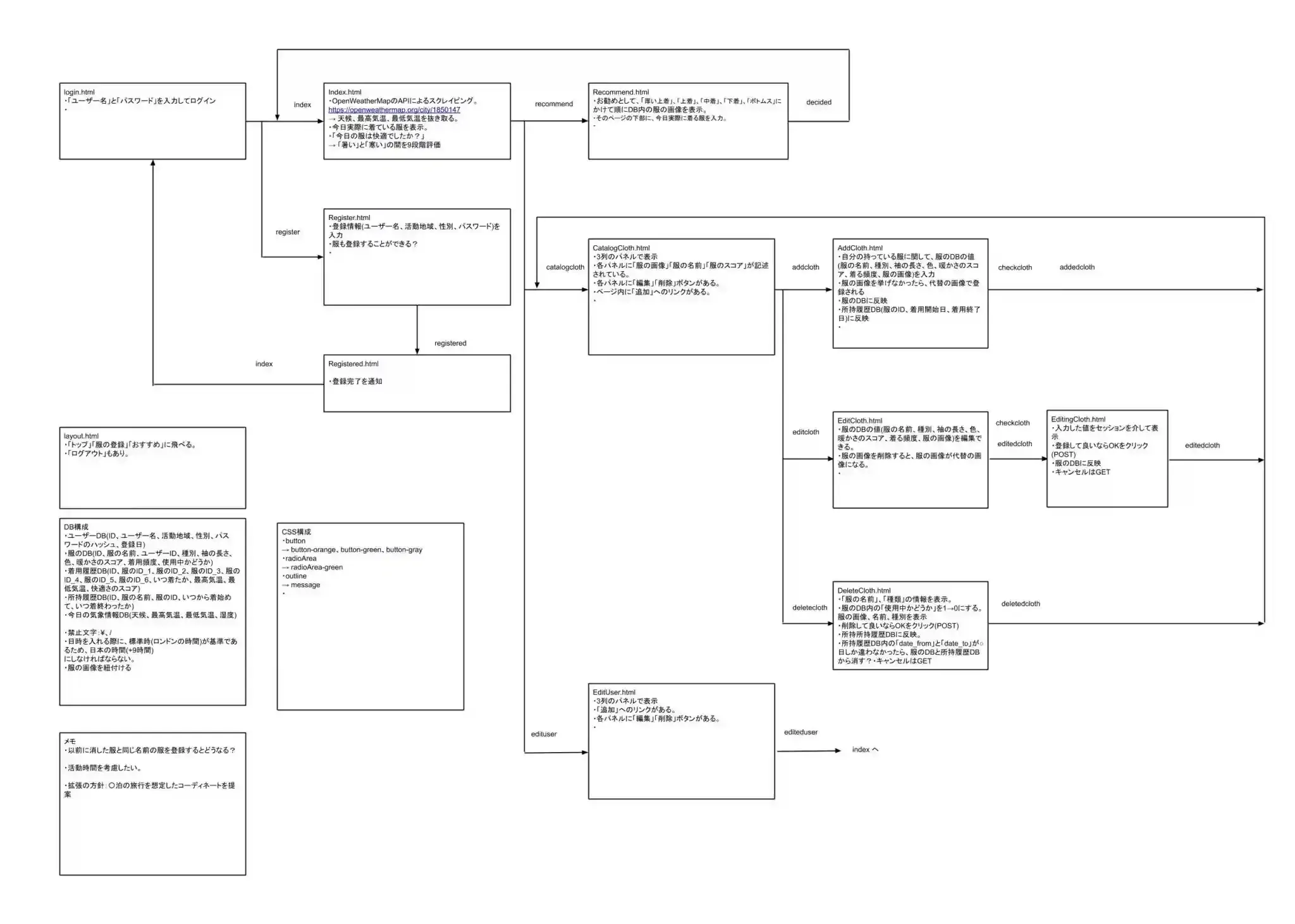
ああ・・・すごい懐かしい・・・。
えーと、まず、このアプリには、下記の2つの機能があります。
- 服を管理する
- その日の服をオススメする
まずは、1. 服を管理する機能から紹介します。
機能1:服を管理する。
これはページごとに紹介したいと思います。このWebアプリ用に作ったページは以下の11点になります。あまり複雑なアプリではないはずですが、11ページも作ったとは・・・アプリ作るのも大変ですねえ(小並感)
- login.html(ユーザーがログインするため)
- Register.html(ユーザーを登録するため)
- Registered.html(ユーザーの登録完了を確認するため)
- Index.html(ユーザーが今日実際に着ている服の表示および快適だったかどうかを入力するため)
- EditUser.html(ユーザー情報を編集するため)
- Recommend.html(ユーザーに服をオススメして、実際に着る服を入力するため)
- CatalogCloth.html(ユーザーが登録している服を管理するため)
- AddCloth.html(ユーザーが服を登録するため)
- EditCloth.html(ユーザーが登録している服を編集するため_その1)
- EditingCloth.html(ユーザーが登録している服を編集するため_その2)
- DeleteCloth.html(ユーザーが登録している服を削除するため)
以下、画面を載せながら紹介します。
(実は、ソースを2年前にGithubに保存していたつもりだったのですが、ちゃんと保存されておらず歯抜けになっていたりしていました・・・Dropboxにいつ更新したか分からないやつしか転がっておらず、そのhtmlを使って動かしました・・・。 2年ぶりにプログラマ先駆けの奴が書いたもので、そんな状態なので果たしてどんなことになっているのやら・・・。ちゃんとcommit出来ているか本当に細心の注意を払わないとですね(T_T))
1. login.html
まず、このアプリではマルチユーザーが使えるような構造になっています。(これはCS50の前の課題でマルチユーザーが使えるアプリを作った名残ですね。)
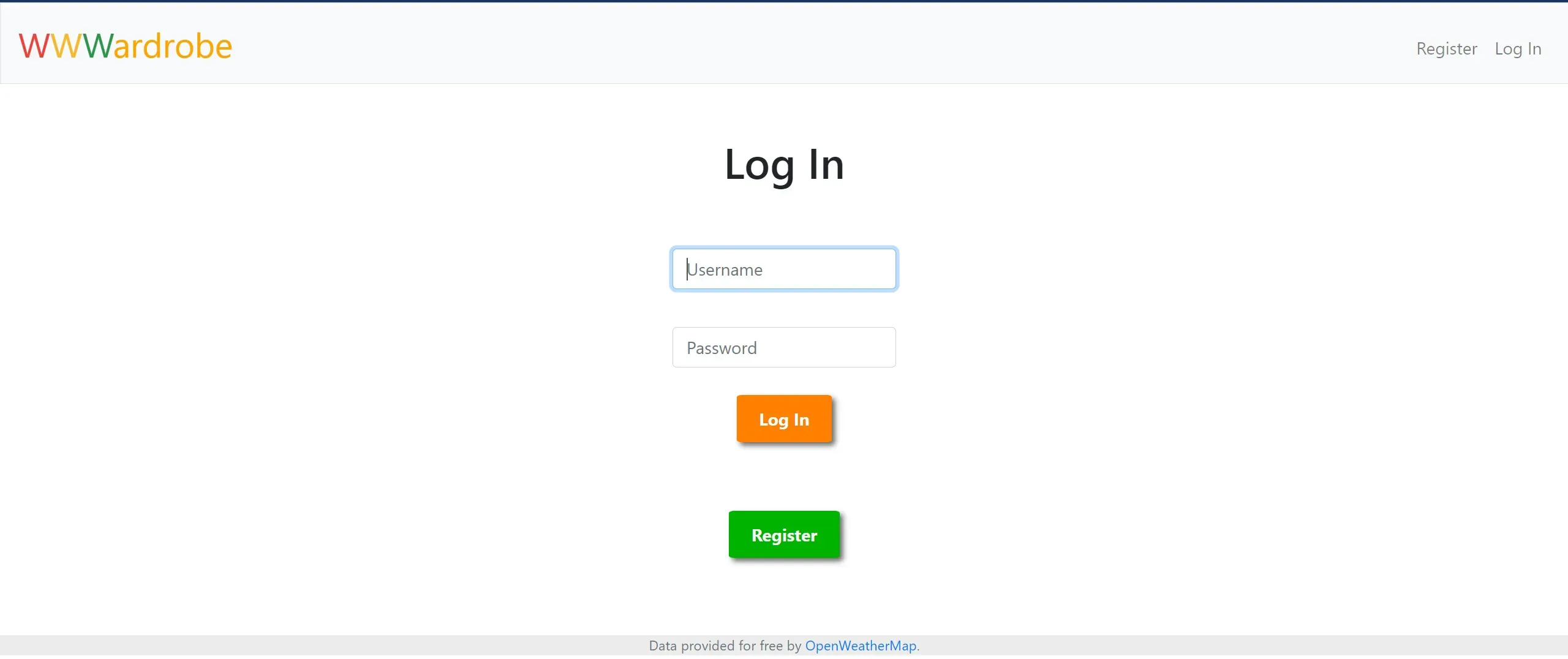
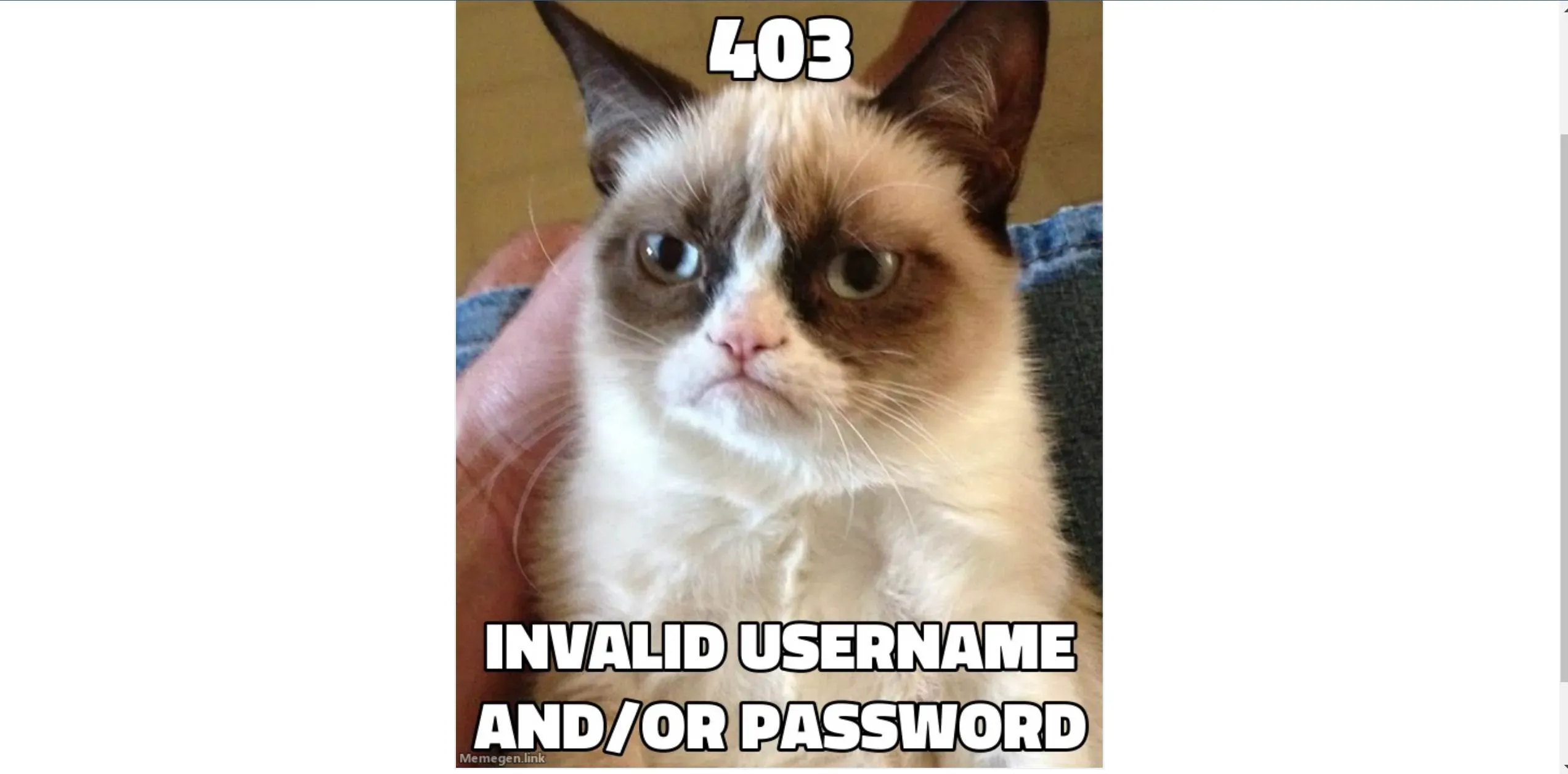
ちなみにログインをしくると以下の画面が出ます。(懐かしい・・・!)
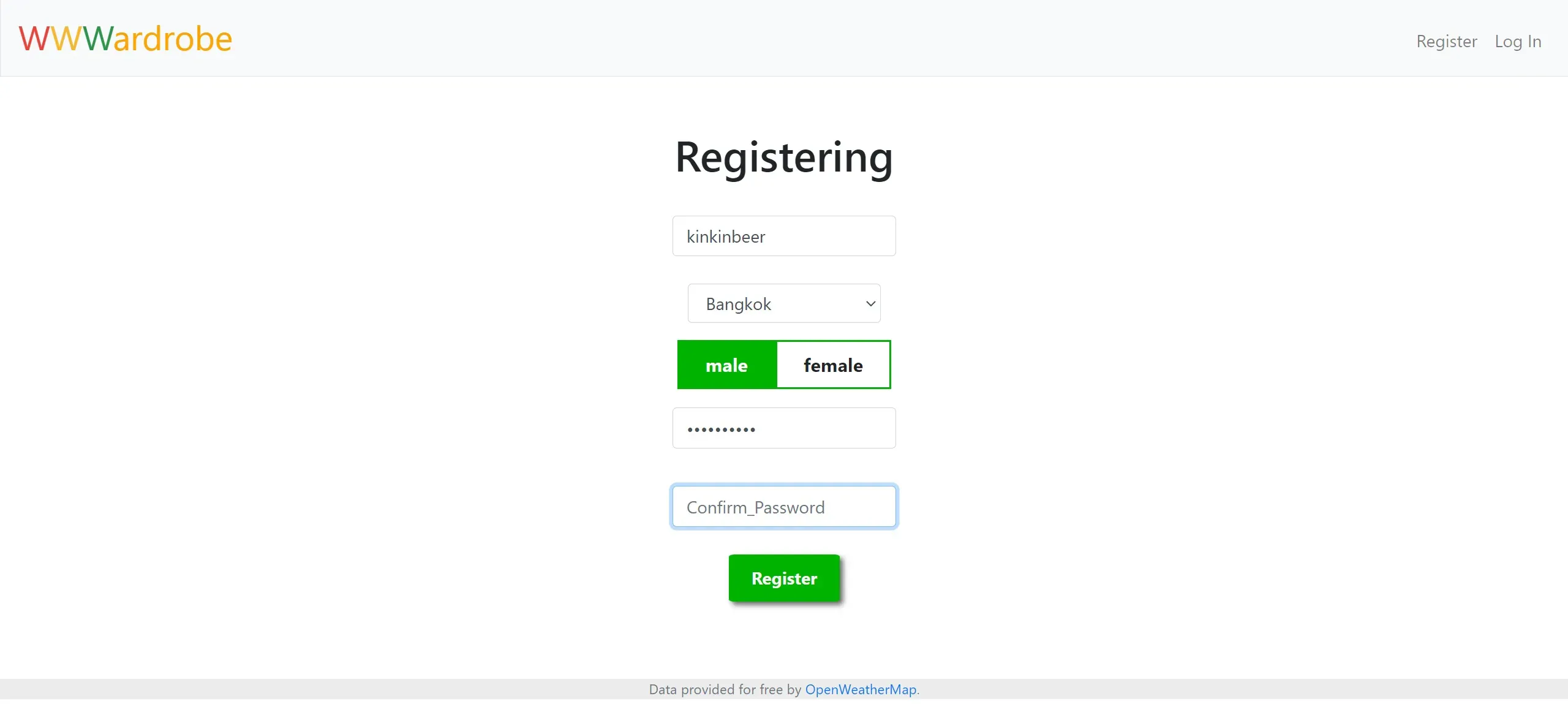
2. Register.html
ユーザーを登録する画面になります。いっちょ前に「Confirm Password」なんて入れてやがる・・・。
3. Registered.html
ここで不思議なことに、「Register」ボタンを押したら、この画面に行かずに「login.html」に行ってしまった・・・。しかし、ユーザー登録はされている・・・。・・・まあいいか。
4. Index.html
パスワード地獄をくぐり抜けて、やっとたどり着きました・・(笑)
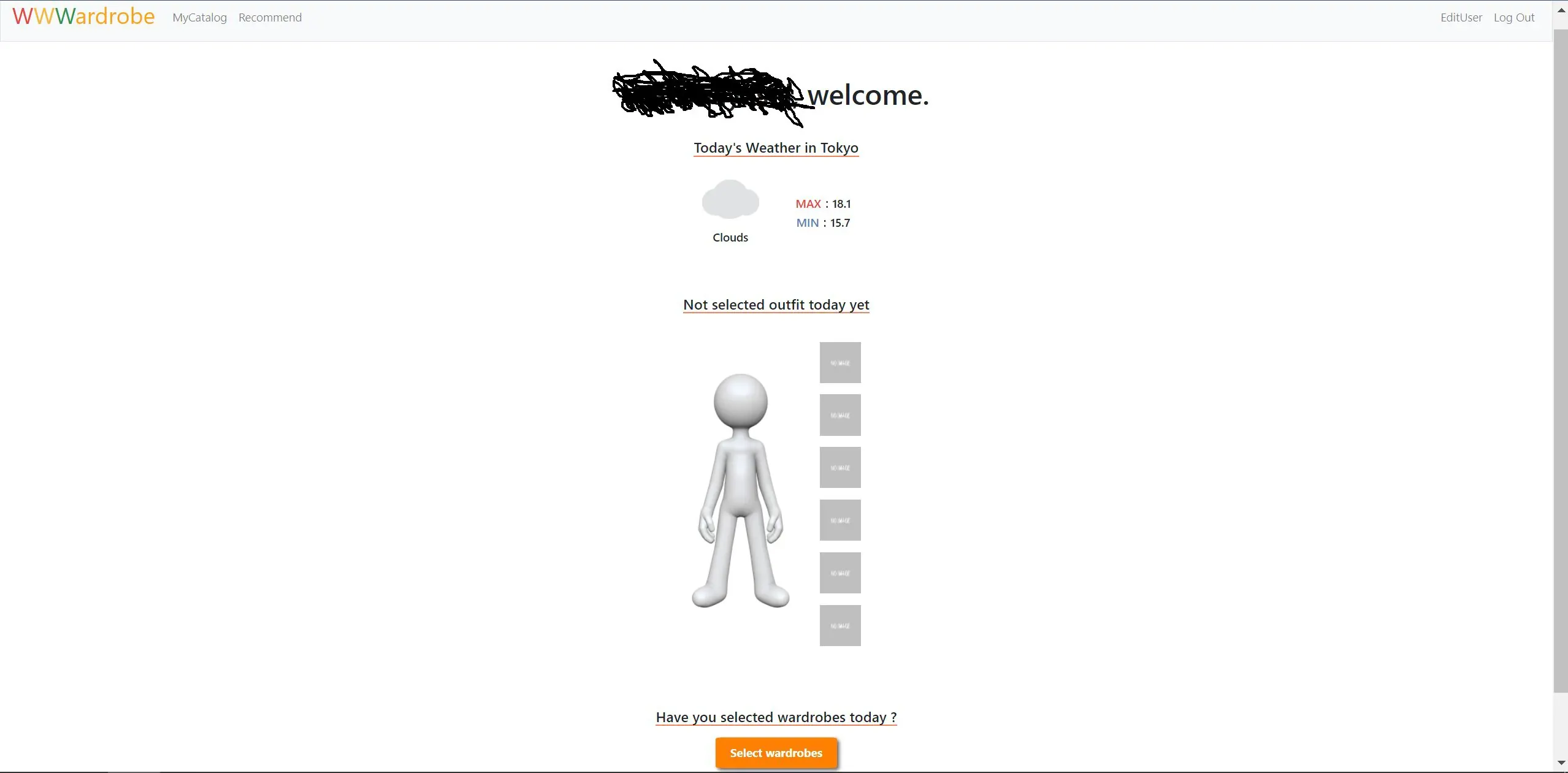
「ユーザーネーム」, welcome. です。
天気と気温は、OpenWeatherMapというサービスのAPIで取ってきています。
そして、今日ユーザーが選んだ服が描画されます。まだ、選んでないので描画されていません。
5. EditUser.html
ここでも問題発生。EditUser押せども押せども、この画面が表示されない・・・。なんかFlask仕様変わったのかなあー?
6. Recommend.html
この画面には飛べました!やった!
上にはAIによるレコメンドの服が表示されていて、下には自分が今日着る服を選ぶためのプルダウンが配置されています。
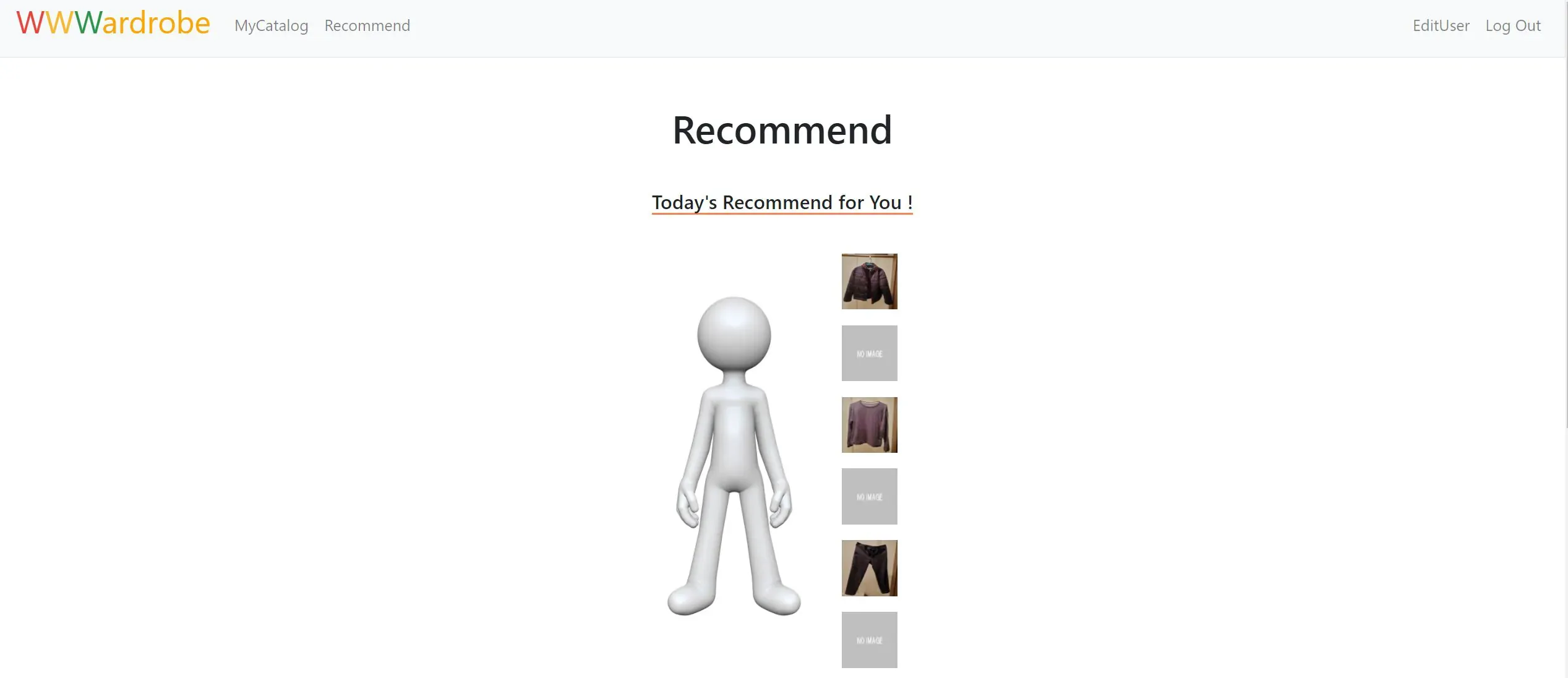
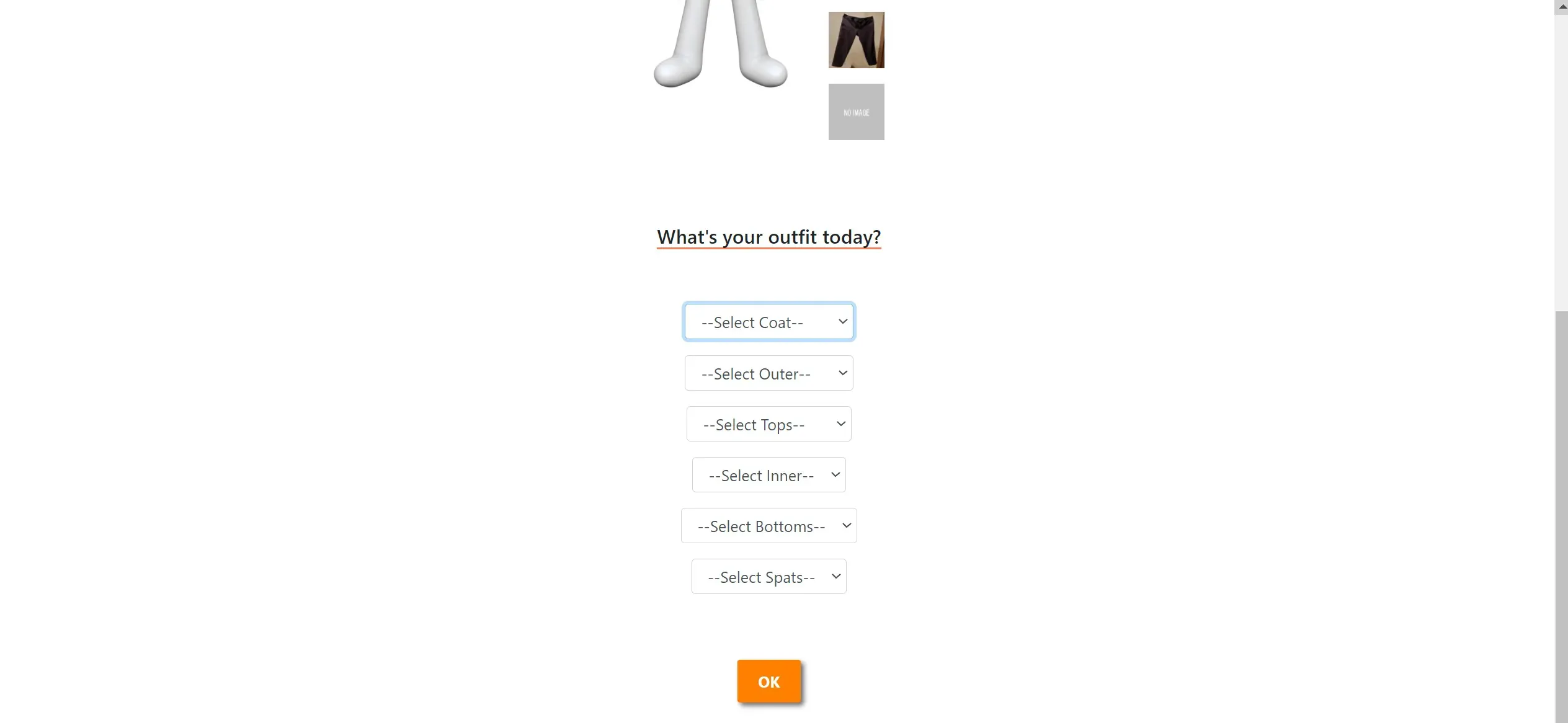
とりあえず、登録しておきます。登録されている状態の画面は以下のようになります。
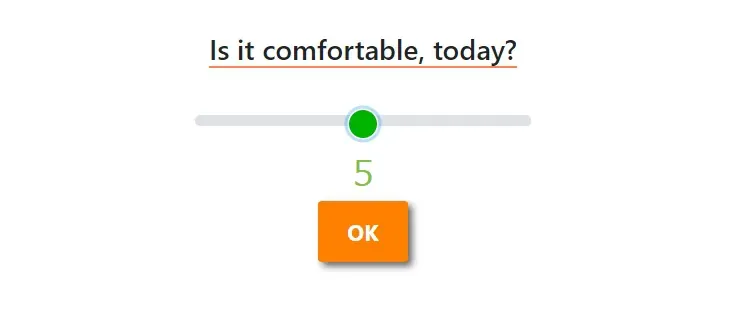
登録すると、今日快適だったかどうかを入力するスライダーが表示されます。
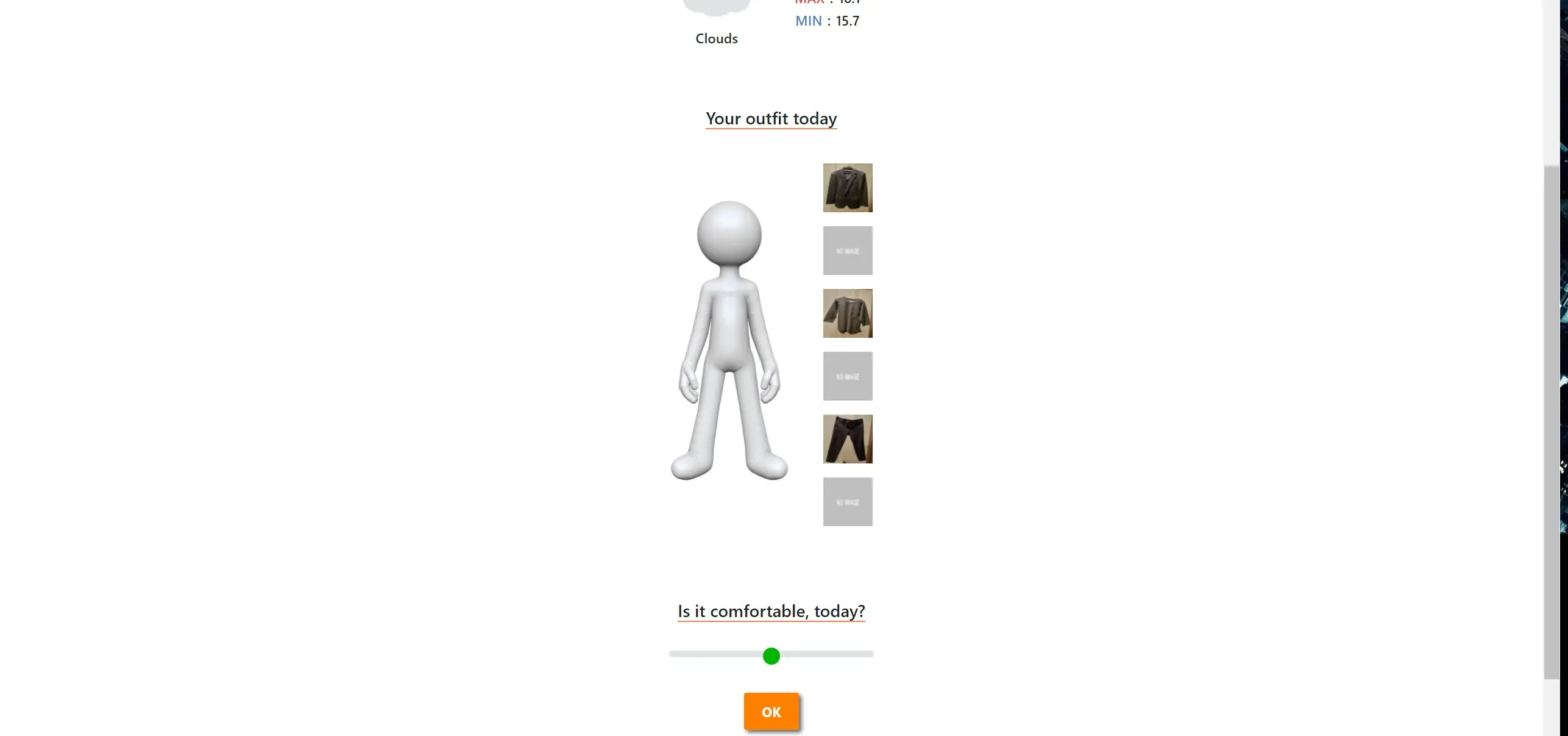
とりあえず、5(最高に快適)で入力しておきます。
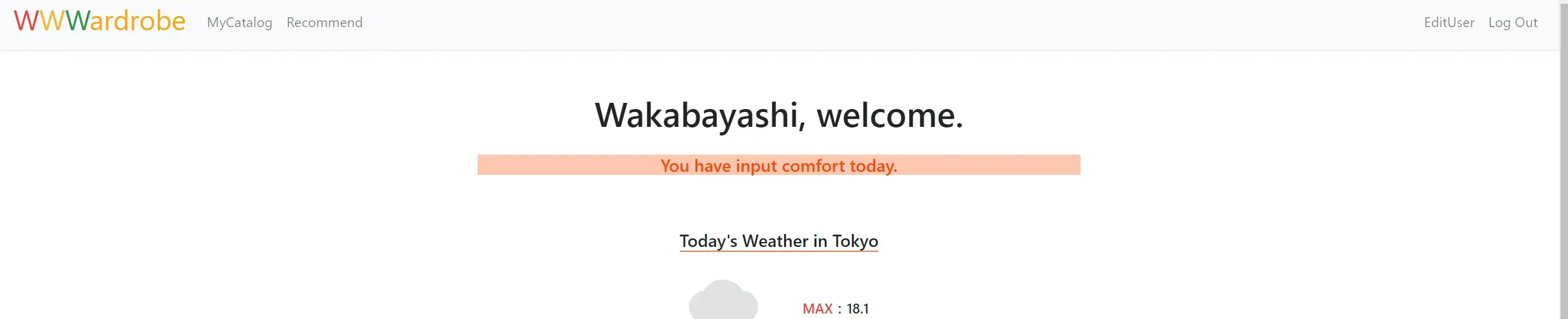
快適さを入力した日は、画面上部にこんな表示がされます。(この機能は動いた!ホッとした!)
7. CatalogCloth.html
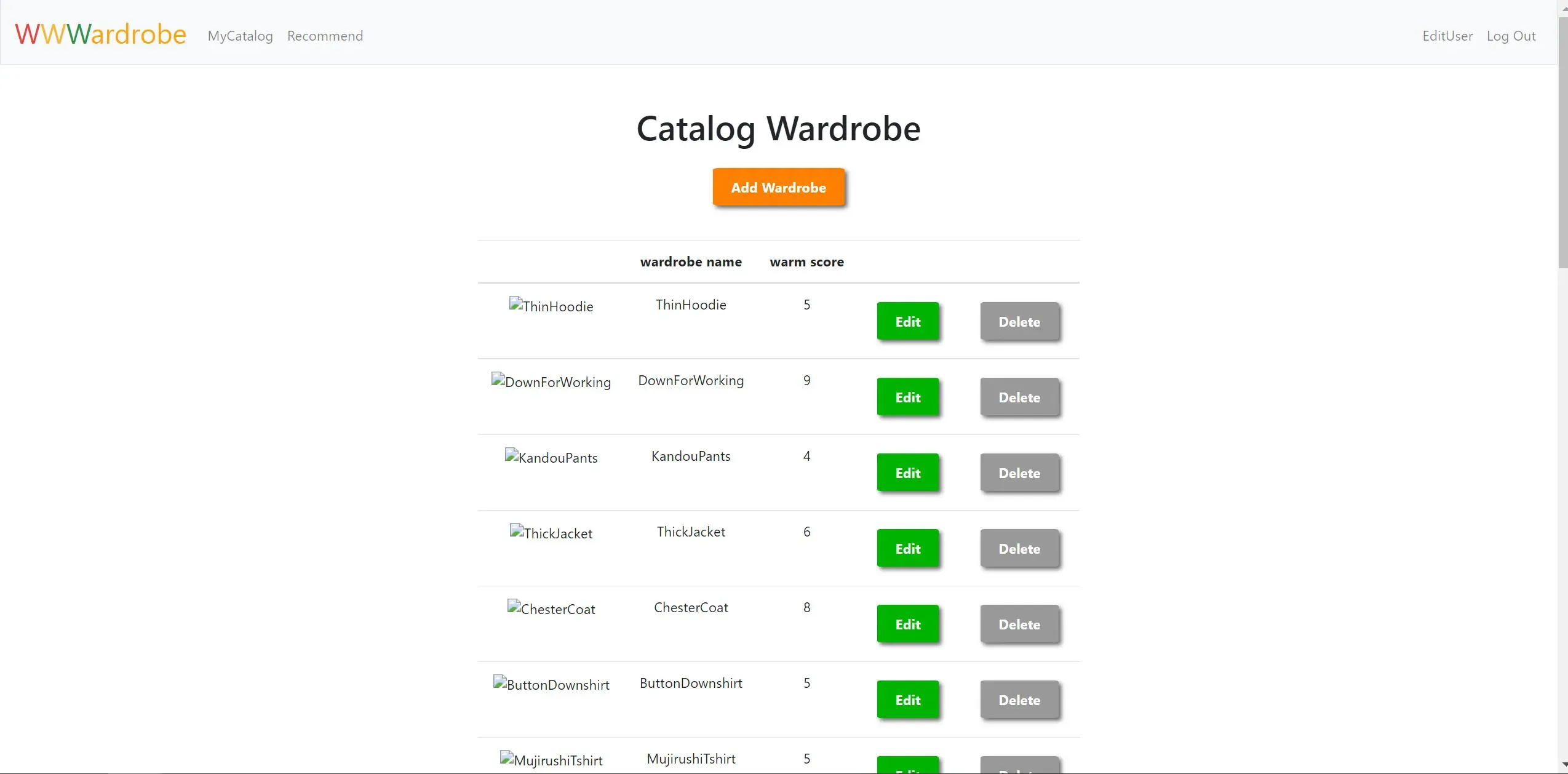
自分が登録した服を管理できます。
画像が表示されていない原因としては、画像フォルダの読み込む部分がちゃんと動いておらず、とりあえずすり抜けて表示させたようとしたら、画像が消えてしまったためです。今更直すのもあれなので、このまま進行したいと思います・・・。
自分のPCでローカルサーバを立てて動かしているのですが、そんなことあるんですね。まりっか。
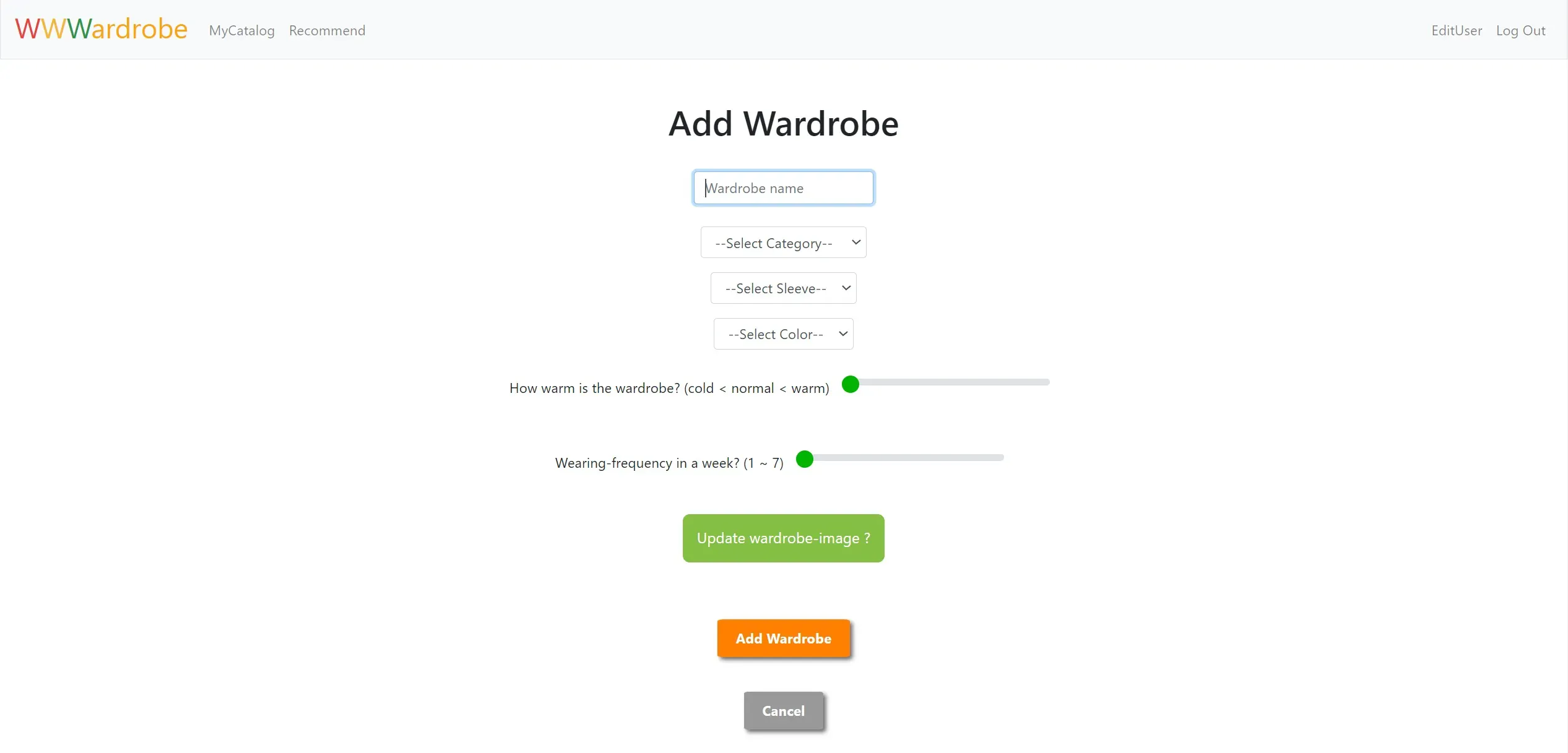
8. AddCloth.html
服を新しく登録します。
服の名前、服の種類、服の袖の長さ、服の色、服の暖かさ、着る頻度、服の画像を登録できます。
服の画像は緑のボタンからアップロードできます。
9. EditCloth.html
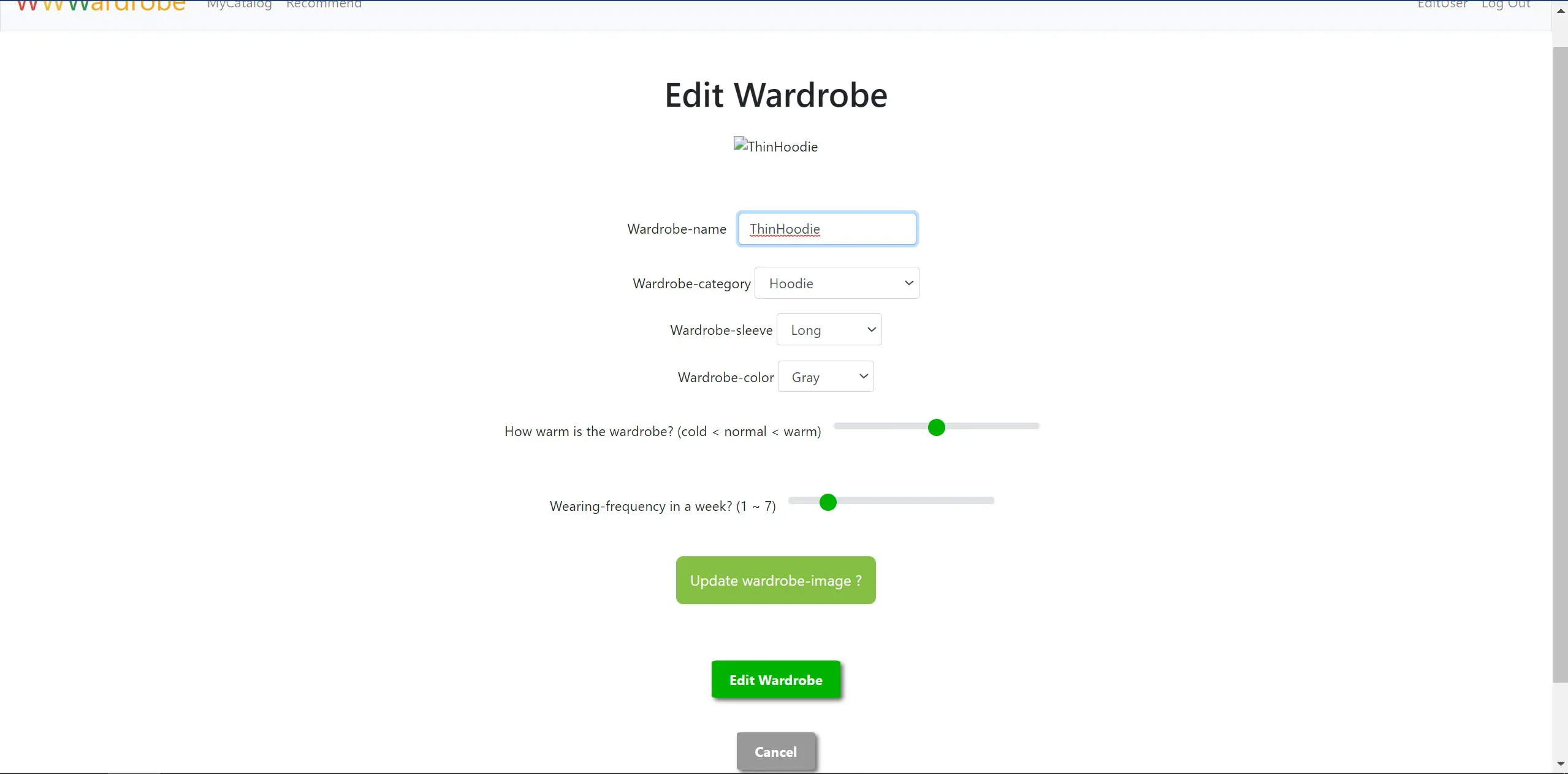
既に登録した服の情報を編集することが出来ます。
編集項目は、「8. AddCloth.html」の画面にある項目と同じです。服に孔が空いたりしたら服のビジュアルも変わりますもんね (*゚∀゚)
10. EditingCloth.html
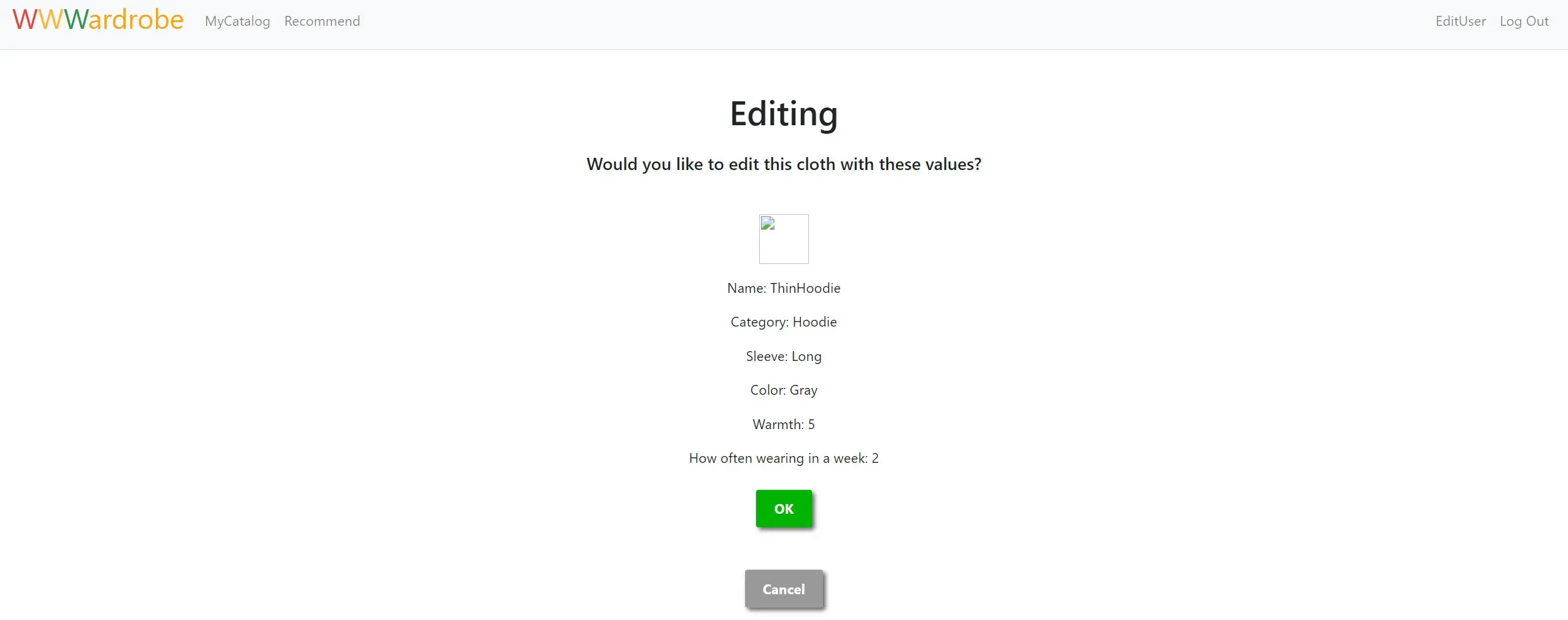
編集し終わったら、その情報で確定していいかどうかを確認する画面に移動します。この状態では、まだ前の画面のリクエストから貰った情報がページに書いてあるだけです。
11. DeleteCloth.html
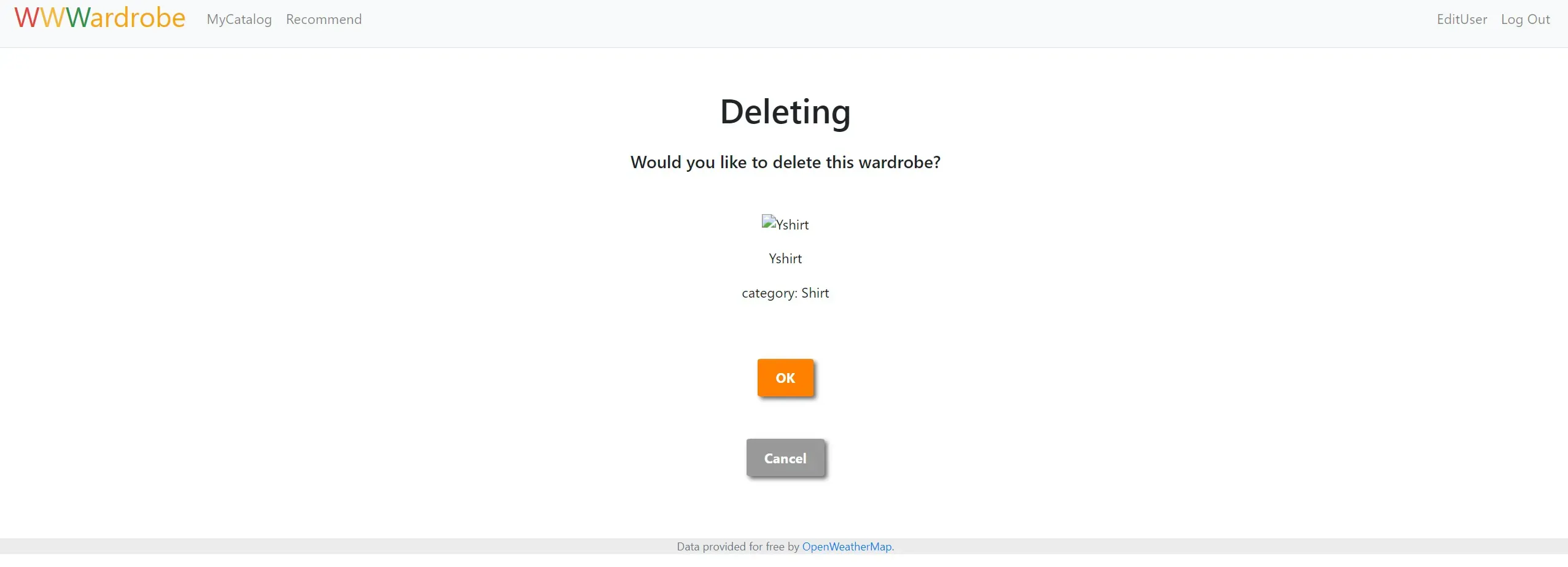
「7. CatalogCloth.html」でグレーのDeleteボタンを押すと、本当に消していいかどうかを尋ねてくるページに飛びます。
機能2: その日の服をオススメする。
機械学習方法の詳細
こちらの機能は、先程記載した「6. Recommend.html」で行う処理になります。
AIには、線形重回帰モデルで学習させます。学習させるデータは以下の通りになります。
- 厚い上着の暖かさ(1~9)
- 上着の暖かさ(1~9)
- 中着の暖かさ(1~9)
- 下着の暖かさ(1~9)
- ボトムスの暖かさ(1~9)
- スパッツの暖かさ(1~9)
- その日の最高気温
- その日の最低気温
- 快適さ(1~9)
快適さは、1(寒い)~9(暑い)までの数値を取り、5が最も快適な数値となります。
そして、AIにはその日の気温から快適さが5になるような服の組み合わせになるようにレコメンドさせるといった感じです。
以下が、「6. Recommend.html」の中身です。昔のソースコードを見ると面白いですね(笑)
確か学習させるためにデータを加工するのが面倒くさかった記憶が・・・。
@app.route("/recommend", methods=["GET", "POST"])@login_requireddef recommend(): """Recommend user's best cloth today""" # User reached route via GET (as by clicking a link or via redirect) if not request.method == "POST": pass # User reached route via POST (as by submitting a form via POST) else: pass # DB connection and cursor generation connection = sqlite3.connect(dbpath) # connection.isolation_level = None # 自動コミットにする場合は下記を指定(コメントアウトを解除のこと) cursor = connection.cursor()
# Prepare csv file to Machine Learning -------------------------------------- # Get wardrobe-image url to display cursor.execute("SELECT * FROM history_wear WHERE userid = :userid AND NOT comfort_score = '';", {"userid": session["user_id"] }) rows_hw = cursor.fetchall() # history_wear row
# Generate list of "history_wear" (wardrobeid is converted to warmscore AND wear_date is removed) list_hw = [] # List about a record of history_wear list_hws = [] # List about records of history_wear for num in range(len(rows_hw)): for i in ['wardrobeid_c', 'wardrobeid_o', 'wardrobeid_t', 'wardrobeid_i', 'wardrobeid_b', 'wardrobeid_s']: # Select DB same as wardrobe-id. cursor.execute("SELECT * FROM wardrobes WHERE id = :wardrobeid;", {"wardrobeid": rows_hw[num][column_history_wear[i]] }) rows_wr = cursor.fetchall() # wardorbes row if rows_wr == []: # If rows_wr is empty, warmscore = 0 else: list_wr = [] # wardorbes list あとで使うかも list_wr.append(rows_wr) # あとで使うかも warmscore = rows_wr[0][column_wardrobes['warmscore']] # Get warmscore list_hw.append(warmscore) # Store in a list for i in ['temperature_max', 'temperature_min', 'comfort_score']: list_hw.append(round(rows_hw[num][column_history_wear[i]], 0)) list_hws.append(list_hw) # Store in a list list_hw = [] # Set default value
# Part of Machine Learning ----------------------------------------- # Convert list of "history_wear" to pd.DataFrame of "history_wear" feature_names = ["warmscore_c", "warmscore_o", "warmscore_t", "warmscore_i", "warmscore_b", "warmscore_s", "temperature_max", "temperature_min", "comfort_score"] data = pd.DataFrame(list_hws, columns=feature_names) model = model_learning(data)
# Part of Machine Predicting ------------------------------------------- # Select DB for wardrobes cursor.execute("SELECT * FROM wardrobes WHERE userid = :t_userid AND inuse = 1;", {"t_userid": session["user_id"] }) rows_wr = cursor.fetchall() dict_category = category_dictionary() # Dictionary about wardrobe's category dict_wr_category = {"-Outer Category-": [], "-Tops Category-": [], "-Inner Category-": [], "-Bottoms Category-": []} combi_content = {} # wardrobe-combination on category combi_score = {} # score on wardrobe-combination on category num = 0 # for index of "combi_content" iter_num_o = 0 # for iterate like MECE for '-Outer Category-' iter_num_b = 0 # for iterate like MECE for '-Bottoms Category-' __len_combi__ = 20000 for i in range(__len_combi__): combi_content[i] = {} # Generate dictionary on category for i in rows_wr: for key, value in dict_category.items(): if i[column_wardrobes['category']] in value: # If category is same, dict_wr_category[key].append(i[column_wardrobes['id']]) break else: pass # Append NULL to dictionary on category for key in dict_wr_category.keys(): dict_wr_category[key].append(None) # Generate wardrobe-combination on category len_o = len(dict_wr_category['-Outer Category-']) # Length of dictionary len_b = len(dict_wr_category['-Bottoms Category-']) # Length of dictionary for c in range(0, len_o): for o in range(iter_num_o, len_o): bool_co = c == len_o - 1 and o == len_o - 1 if bool_co or c != o : # Same wardrobes cannot be combi except both are None for t in dict_wr_category['-Tops Category-']: for i in dict_wr_category['-Inner Category-']: iter_num_b = 0 # Reset start of counting for b in range(0, len_b): for s in range(iter_num_b, len_b): bool_bs = b == len_b - 1 and s == len_b - 1 if b != s or bool_bs: # Same wardrobes cannot be combi except both are None combi_content[num]['wardrobeid_c'] = dict_wr_category['-Outer Category-'][c] combi_content[num]['wardrobeid_o'] = dict_wr_category['-Outer Category-'][o] combi_content[num]['wardrobeid_t'] = t combi_content[num]['wardrobeid_i'] = i combi_content[num]['wardrobeid_b'] = dict_wr_category['-Bottoms Category-'][b] combi_content[num]['wardrobeid_s'] = dict_wr_category['-Bottoms Category-'][s] num += 1 # Count dictionary-length if num >= __len_combi__: combi_content[num] = {} else: pass iter_num_b += 1 # Shift start of counting iter_num_o += 1 # Shift start of counting
# Generate predicted values on wardrobe-combination __best_score__ = 5 # Best comfort score for i in range(num): combi_score[i] = [0,0,0,0,0,0] # Set default value for key, value in combi_content.items(): # Search in the dictionaries about wardrobe-combination for k, v in value.items(): # Search in the dictionary about wardrobe-combination for i in rows_wr: # Search in the list about wardrobes-DB if v == i[column_wardrobes['id']]: # If two wardrobe-id are same combi_score[key][column_history_wear[k] - column_history_wear['wardrobeid_c']] = i[column_wardrobes['warmscore']] # Store warmscore break # Append temperature location = session["user_location"] # Get user's location cursor.execute("SELECT * FROM weather_today WHERE location = :t_location;", {'t_location': location}) rows_weather = cursor.fetchall() for key, value in combi_score.items(): combi_score[key].extend([rows_weather[0][column_weather_today["temperature_max"]], rows_weather[0][column_weather_today["temperature_min"]] ])
# # If you wanna execute other environment(ex. jupyternotebook) # path_w = "combi_score.py" # generate_function_to_text("generate_dict_score", path_w, combi_score)
# Generate pandas-dataframe from dictionary data_warmscore = pd.DataFrame.from_dict(combi_score, orient='index', columns=feature_names[0:7+1]) list_predict_score = model.predict(data_warmscore) # Predict (Linear Multiple Regression) dict_predict_score = {} # predict-scores by model of machine learning for i in range(0, num): # Store absolute value of difference between "__best_score__" and "list_predict_score" dict_predict_score[i] = abs(list_predict_score[i] - __best_score__) dict_predict_best = {} # Store best comfort-score num_candidate = 3 # Number of candidates of combination
# Get "num_candidate" of the best "comfort-score" for k, v in sorted(dict_predict_score.items(), key=lambda x: x[1]): dict_predict_best[k] = v num_candidate -= 1 if num_candidate == 0: break
# Get wardrobeid-combination # dict_predict_best = {3761: 0.0006331531891259345, 19205: 0.0006331531891259345, 3597: 0.0012729990001982827} combi_content_best = [] num_candidate = 0 for k in dict_predict_best.keys(): combi_content_best.append(combi_content[k]) num_candidate += 1
# Part of "Today's Recommend" ----------------------------------------- # Dicionary which will put image-url on wardrobeid dict_image_url = {"wardrobeid_c": 2, "wardrobeid_o": None, "wardrobeid_t": 7, "wardrobeid_i": None, "wardrobeid_b": 3, "wardrobeid_s": None } # dict_image_url = combi_content_best[0] # Dictionary which will put wardrobe-name on wardrobeid dict_wardrobename = {} # Display the wardrobes selected today for key, value in dict_image_url.items(): # if a wardrobe isn't selected, if value == None: dict_image_url[key] = nowardrobe_path dict_wardrobename[key] = "~NoWardrobe~" else: # if a wardrobe is selected, # Select DB for wardrobes to get wardrobename from wardrobeid cursor.execute("SELECT wardrobename FROM wardrobes WHERE id = :wardrobeid;", {"wardrobeid": value }) # Get wardrobename rows_wn = cursor.fetchone() # Set image-url from wardrobename dict_image_url[key] = os.path.join("..", image_path, str(session["user_id"]), "{}.jpg".format(rows_wn[0])) dict_wardrobename[key] = rows_wn[0]
# Part of "What's your outfit today?" -------------------------------------- # Select DB for wardrobes cursor.execute("SELECT * FROM wardrobes as T1 LEFT JOIN (SELECT wardrobeid, date_to FROM history_own) T2 ON T1.id = T2.wardrobeid WHERE userid = :t_userid AND date_to = 'ongoing';", {'t_userid': session["user_id"] }) tuple_row = cursor.fetchall()
dict_category = category_dictionary() # Dictionary about wardrobe's category list_wardrobe_o = [] # outer category list_wardrobe_t = [] # tops category list_wardrobe_i = [] # inner category list_wardrobe_b = [] # bottoms category # Put wardrobe-name in list for "select" tag for i in tuple_row: if i[column_wardrobes["category"]] in dict_category["-Outer Category-"]: list_wardrobe_o.append(i[column_wardrobes["wardrobename"]]) elif i[column_wardrobes["category"]] in dict_category["-Tops Category-"]: list_wardrobe_t.append(i[column_wardrobes["wardrobename"]]) elif i[column_wardrobes["category"]] in dict_category["-Inner Category-"]: list_wardrobe_i.append(i[column_wardrobes["wardrobename"]]) elif i[column_wardrobes["category"]] in dict_category["-Bottoms Category-"]: list_wardrobe_b.append(i[column_wardrobes["wardrobename"]]) dict_list_wardrobe = {"c": list_wardrobe_o, "o": list_wardrobe_o, "t": list_wardrobe_t, "i": list_wardrobe_i, "b": list_wardrobe_b, "s": list_wardrobe_b }
# Remember which page user is in now session["nowpage"] = "recommend"
return render_template("recommend.html", img_urls=dict_image_url, names=dict_wardrobename, wardrobes=dict_list_wardrobe) # おすすめの服を反映。以下が学習に利用した、モジュールになりますね。
どの回帰モデルが正解率が高いかを試してますね・・・コメント多すぎだろ(笑)
def model_learning(data): # # 線形単回帰 Linear Regression # for i in feature_names: # train_X, test_X, train_y, test_y = train_test_split( # data[i],data["comfort_score"],random_state=42) # トレーニングとテストデータを作成 # print(data[i][0]) # # Xのデータの形を修正 # train_X = train_X.values.reshape((-1, 1)) # test_X = test_X.values.reshape((-1, 1)) # model = LinearRegression() # Generate model # model.fit(train_X, train_y) # Let model learn # print(model.predict(test_X)) # print("線形単回帰:{}".format(i)) # データ列 # print("決定係数:{}\n".format(model.score(test_X, test_y))) # テストして出た決定係数
# 線形重回帰 Linear Multiple Regression train_X, test_X, train_y, test_y = train_test_split( data.drop("comfort_score", axis=1), data["comfort_score"], random_state=42) model = LinearRegression() model.fit(train_X, train_y)
# save model as .sav file pickle.dump(model, open('comfort_model.sav', 'wb'))
print(test_X) # print(model.predict(test_X)) print("線形重回帰:{}".format("comfort_score")) # データ列 print("決定係数:{}\n".format(model.score(test_X, test_y))) # テストして出た決定係数
# # ElasticNet回帰 # train_X, test_X, train_y, test_y = train_test_split(data.drop("comfort_score", axis=1), data["comfort_score"], random_state=42) # model = ElasticNet(l1_ratio=0.0) # ラッソで鑑みる割合 # model.fit(train_X, train_y) # Let model learn # print("ElasticNet回帰:{}".format(model.score(test_X, test_y)))
return model学習させる情報が8つもあるため、たくさんデータを学習させる必要があります。なので、快適な組み合わせをレコメンドさせるには、色々な組み合わせと快適さのデータを取らないとですね。
予想外のレコメンド
ちなみに、僕が100日分くらいのデータをAIに学習させた際には、どんなコーディネートを提案されたと思いますか?
以下の画像がそのときのレコメンド画面のイメージになります。
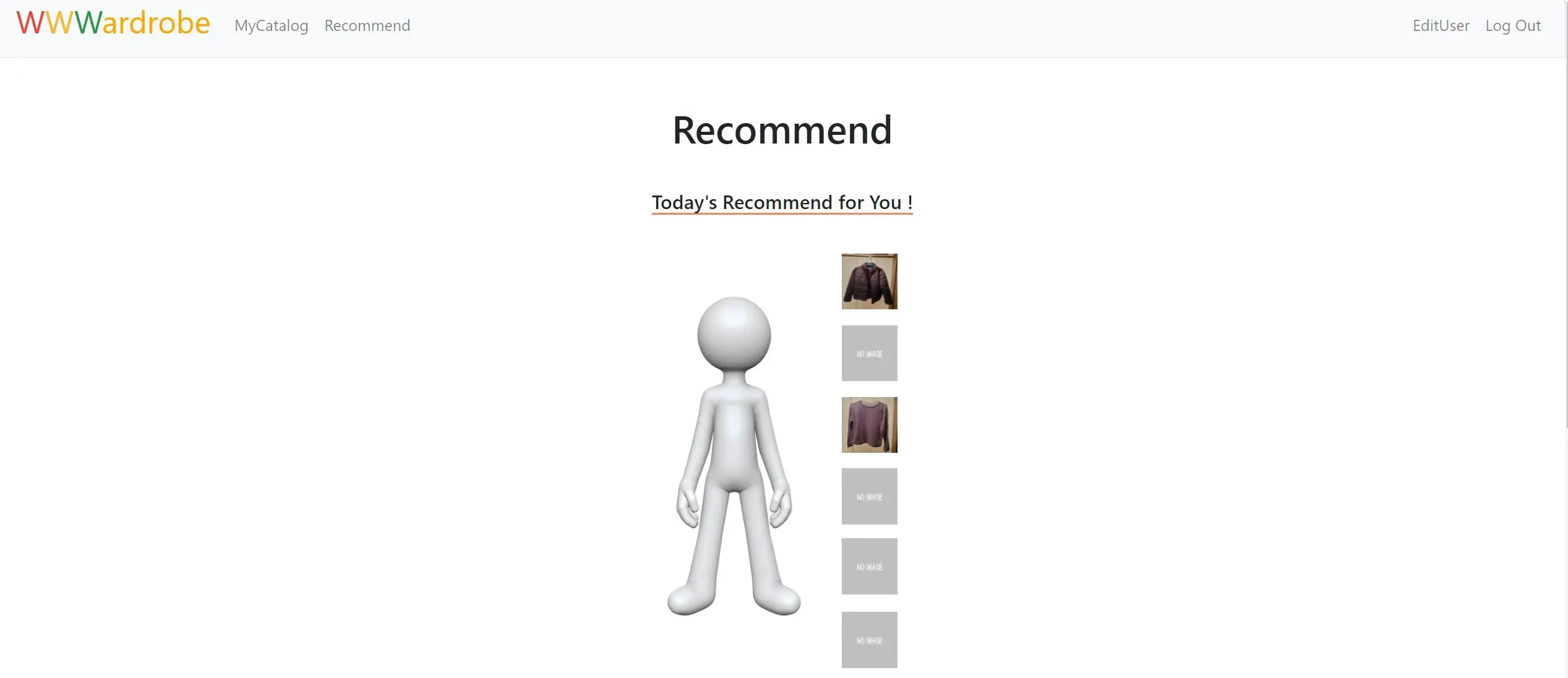
上記の画面をよく見ると・・・、ボトムスが空白になっています。つまり、AIは「今日はズボン穿かなくても良いんじゃね?」と、勧めてきたのです(笑)
実際にそれで着てみると以下のような感じになるんでしょうか? なかなか前衛的ですね・・・

おそらく、僕が毎日同じ暖かさのズボンしか穿かないため、AIは「こいつ何穿いても変わんなくね?」と判断したのだと思われます・・・。
おしまい
以上になります!
記事を共有
この記事が役に立ったなら、ぜひ他の人と共有してください!
音楽
再生中なし