








【Discord API】Interactionの応答のタイムアウトを考えて実装する(pycord使用)

はじまり

何が起こっているんだ
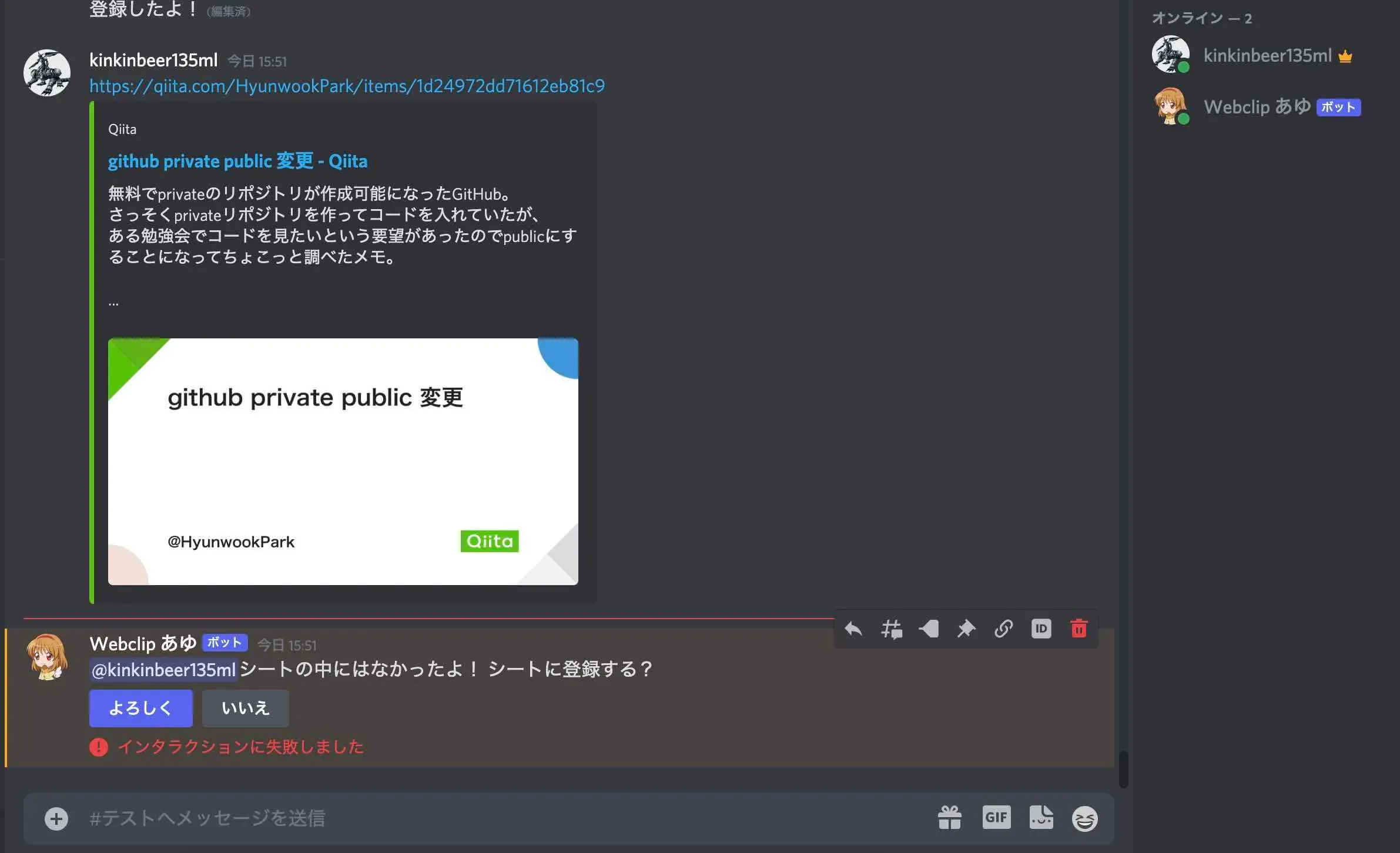
pycordで実装したボタンを押したときに「インタラクションに失敗しました」と出る。
Discord APIの仕様でタイムアウトになっているっぽいです。
再現したソース:その1
まず、再現した環境は、ubuntu:20.04.3、Python:3.8.10、py-cord:2.0.0b1です。
先程のエラーが再現したコードは以下になります。await interaction.response.edit_messageの部分で起きます。
src/helpers.py:
class ButtonView(View): def __init__(self, viewKey : str, msg : str, bot : discord.Bot): super().__init__() if viewKey == "viewForReply_buttons01": buttonList = self.getButtonList(msg, bot) for item in buttonList: self.add_item(item)
def getButtonList(self, msg : str, bot : discord.Bot): gofer = Gofer() configFileFullName = gofer.getSrcPathFromTestPath(configFileName) configObj = gofer.getObjFromYaml(configFileFullName) buttonYes = YesButton( label=configObj["viewForReply_buttons01_yes"], style=discord.ButtonStyle.primary, msg=msg, bot=bot ) buttonNo = NoButton( label=configObj["viewForReply_buttons01_no"], style=discord.ButtonStyle.secondary ) return [buttonYes, buttonNo]
class YesButton(Button): def __init__(self, label : str, style, msg : str, bot : discord.Bot): super().__init__(label=label, style=style) self._registeringMsg = msg self._bot = bot
async def callback(self, interaction: discord.Interaction): gofer = Gofer() configFileFullName = gofer.getSrcPathFromTestPath(configFileName) configObj = gofer.getObjFromYaml(configFileFullName)
judge = Judge() jsonKeyFleName = gofer.getSrcPathFromTestPath(configObj["jsonKeyFleName"]) worksheet = judge.authorizeGSSToGetWorksheet( jsonKeyFleName, configObj["gssId"], configObj["sheetName"] ) sheetEditor = SheetEditor() # Googleスプレッドシートを編集する sheetEditor.writeInfoToGss(worksheet, self._registeringMsg) await interaction.response.edit_message( content="{}\n{}".format( configObj["msgForReply_urlYet"], configObj["viewForReply_buttons01_registered"] ), view=None )エラーメッセージはこんな感じ。
Ignoring exception in view <ButtonView timeout=180.0 children=2> for item <YesButton style=<ButtonStyle.primary: 1> url=None disabled=False label='よろしく' emoji=None row=None>:Traceback (most recent call last): File "/usr/local/lib/python3.8/dist-packages/discord/ui/view.py", line 365, in _scheduled_task await item.callback(interaction) File "/usr/src/app/src/helpers.py", line 79, in callback await interaction.response.edit_message( File "/usr/local/lib/python3.8/dist-packages/discord/interactions.py", line 721, in edit_message await adapter.create_interaction_response( File "/usr/local/lib/python3.8/dist-packages/discord/webhook/async_.py", line 192, in request raise NotFound(response, data)discord.errors.NotFound: 404 Not Found (error code: 10062): Unknown interaction再現したソース:その2
そして、以下のソースでも同じことが起きます。
src/helpers.py:
class ButtonView(View): def __init__(self, viewKey : str, msg : str, bot : discord.Bot): super().__init__() if viewKey == "viewForReply_buttons01": buttonList = self.getButtonList(msg, bot) for item in buttonList: self.add_item(item)
def getButtonList(self, msg : str, bot : discord.Bot): gofer = Gofer() configFileFullName = gofer.getSrcPathFromTestPath(configFileName) configObj = gofer.getObjFromYaml(configFileFullName) buttonYes = YesButton( label=configObj["viewForReply_buttons01_yes"], style=discord.ButtonStyle.primary, msg=msg, bot=bot ) buttonNo = NoButton( label=configObj["viewForReply_buttons01_no"], style=discord.ButtonStyle.secondary ) return [buttonYes, buttonNo]
class YesButton(Button): def __init__(self, label : str, style, msg : str, bot : discord.Bot): super().__init__(label=label, style=style) self._registeringMsg = msg self._bot = bot
async def callback(self, interaction: discord.Interaction): gofer = Gofer() configFileFullName = gofer.getSrcPathFromTestPath(configFileName) configObj = gofer.getObjFromYaml(configFileFullName)
judge = Judge() jsonKeyFleName = gofer.getSrcPathFromTestPath(configObj["jsonKeyFleName"]) worksheet = judge.authorizeGSSToGetWorksheet( jsonKeyFleName, configObj["gssId"], configObj["sheetName"] ) sheetEditor = SheetEditor() # Googleスプレッドシートを編集する→sleepに置き換え time.sleep(3) await interaction.response.edit_message( content="{}\n{}".format( configObj["msgForReply_urlYet"], configObj["viewForReply_buttons01_registered"] ), view=None )原因はどうやらタイムアウトみたい
その2のソースで再現したので、どうやらinteractionがtimeoutしたことが原因だと思われます。
実際に何秒でタイムアウトするのかは分からなかったのですが、時間がかかる処理を排除して再度実行したら再現しませんでした。
試してみたこと1:botにwait_forさせている間に処理をさせる
最初に試してみたのが、discord.Bot型で生成したインスタンスをYesButtonクラスに持ってきて、wait_forさせる方法です。wait_forしている間に、時間がかかる処理を行わせようと考えたのです。
しかし、以下のソースで実行しましたが、「Interaction failed」になってしまい、wait_forの結果はasyncio.exceptions.TimeoutErrorが出ました。
Interactionとbotは、特に噛み合っているわけではないようです。
src/helpers.py:
class ButtonView(View): def __init__(self, viewKey : str, msg : str, bot : discord.Bot): super().__init__() if viewKey == "viewForReply_buttons01": buttonList = self.getButtonList(msg, bot) for item in buttonList: self.add_item(item)
def getButtonList(self, msg : str, bot : discord.Bot): gofer = Gofer() configFileFullName = gofer.getSrcPathFromTestPath(configFileName) configObj = gofer.getObjFromYaml(configFileFullName) buttonYes = YesButton( label=configObj["viewForReply_buttons01_yes"], style=discord.ButtonStyle.primary, msg=msg, bot=bot ) buttonNo = NoButton( label=configObj["viewForReply_buttons01_no"], style=discord.ButtonStyle.secondary ) return [buttonYes, buttonNo]
class YesButton(Button): def __init__(self, label : str, style, msg : str, bot : discord.Bot): super().__init__(label=label, style=style) self._registeringMsg = msg self._bot = bot
async def callback(self, interaction: discord.Interaction): gofer = Gofer() configFileFullName = gofer.getSrcPathFromTestPath(configFileName) configObj = gofer.getObjFromYaml(configFileFullName)
judge = Judge() jsonKeyFleName = gofer.getSrcPathFromTestPath(configObj["jsonKeyFleName"]) worksheet = judge.authorizeGSSToGetWorksheet( jsonKeyFleName, configObj["gssId"], configObj["sheetName"] ) sheetEditor = SheetEditor() # Googleスプレッドシートを編集する # sheetEditor.writeInfoToGss(worksheet, self._registeringMsg) time.sleep(3) # wait_for処理 testMsg = await self._bot.wait_for('message', check=None, timeout=5)
await interaction.response.edit_message( content="{}\n{}".format( configObj["msgForReply_urlYet"], configObj["viewForReply_buttons01_registered"] ), view=None )試してみたこと2:viewのtimeout値を設定する
次に試したことは、viewのtimeout値を大きい数値で記述することです。
以下のようなソースです。これも効果はありませんでした・・・
class ButtonView(View): def __init__(self, viewKey : str, msg : str): super().__init__(timeout=100) if viewKey == "viewForReply_buttons01": buttonList = self.getButtonList(msg) for item in buttonList: self.add_item(item)
def getButtonList(self, msg : str): gofer = Gofer() configFileFullName = gofer.getSrcPathFromTestPath(configFileName) configObj = gofer.getObjFromYaml(configFileFullName) buttonYes = YesButton( label=configObj["viewForReply_buttons01_yes"], style=discord.ButtonStyle.primary, msg=msg ) buttonNo = NoButton( label=configObj["viewForReply_buttons01_no"], style=discord.ButtonStyle.secondary ) return [buttonYes, buttonNo]
class YesButton(Button): def __init__(self, label : str, style, msg : str): super().__init__(label=label, style=style) self._registeringMsg = msg
async def callback(self, interaction: discord.Interaction): gofer = Gofer() configFileFullName = gofer.getSrcPathFromTestPath(configFileName) configObj = gofer.getObjFromYaml(configFileFullName)
judge = Judge() jsonKeyFleName = gofer.getSrcPathFromTestPath(configObj["jsonKeyFleName"]) worksheet = judge.authorizeGSSToGetWorksheet( jsonKeyFleName, configObj["gssId"], configObj["sheetName"] ) # Googleスプレッドシートを編集する # sheetEditor.writeInfoToGss(worksheet, self._registeringMsg)
sheetEditor = SheetEditor() sheetEditor.writeInfoToGss(worksheet, self._registeringMsg) await interaction.response.edit_message( content="{}\n{}".format( configObj["msgForReply_urlYet"], configObj["viewForReply_buttons01_registered"] ), view=None )解消したこと:interactionへの反応後に、時間がかかる処理を行う
結局、この方法に落ち着きました。反応した際にはまだ目的の処理は行っておらず、反応した後に行わせました。
イメージとしては、お母さんに「食器運んでおいてー!」と言われて、「はーい!」と返事して1分くらい経ったら運ぶ。みたいな感じです。
src/helpers.py:
class ButtonView(View): def __init__(self, viewKey : str, msg : str, bot : discord.Bot): super().__init__() if viewKey == "viewForReply_buttons01": buttonList = self.getButtonList(msg, bot) for item in buttonList: self.add_item(item)
def getButtonList(self, msg : str, bot : discord.Bot): gofer = Gofer() configFileFullName = gofer.getSrcPathFromTestPath(configFileName) configObj = gofer.getObjFromYaml(configFileFullName) buttonYes = YesButton( label=configObj["viewForReply_buttons01_yes"], style=discord.ButtonStyle.primary, msg=msg, bot=bot ) buttonNo = NoButton( label=configObj["viewForReply_buttons01_no"], style=discord.ButtonStyle.secondary ) return [buttonYes, buttonNo]
class YesButton(Button): def __init__(self, label : str, style, msg : str, bot : discord.Bot): super().__init__(label=label, style=style) self._registeringMsg = msg self._bot = bot
async def callback(self, interaction: discord.Interaction): gofer = Gofer() configFileFullName = gofer.getSrcPathFromTestPath(configFileName) configObj = gofer.getObjFromYaml(configFileFullName)
judge = Judge() jsonKeyFleName = gofer.getSrcPathFromTestPath(configObj["jsonKeyFleName"]) worksheet = judge.authorizeGSSToGetWorksheet( jsonKeyFleName, configObj["gssId"], configObj["sheetName"] ) sheetEditor = SheetEditor()
# Googleスプレッドシートを編集する # sheetEditor.writeInfoToGss(worksheet, self._registeringMsg) # time.sleep(3) # testMsg = await self._bot.wait_for('message', check=None, timeout=5)
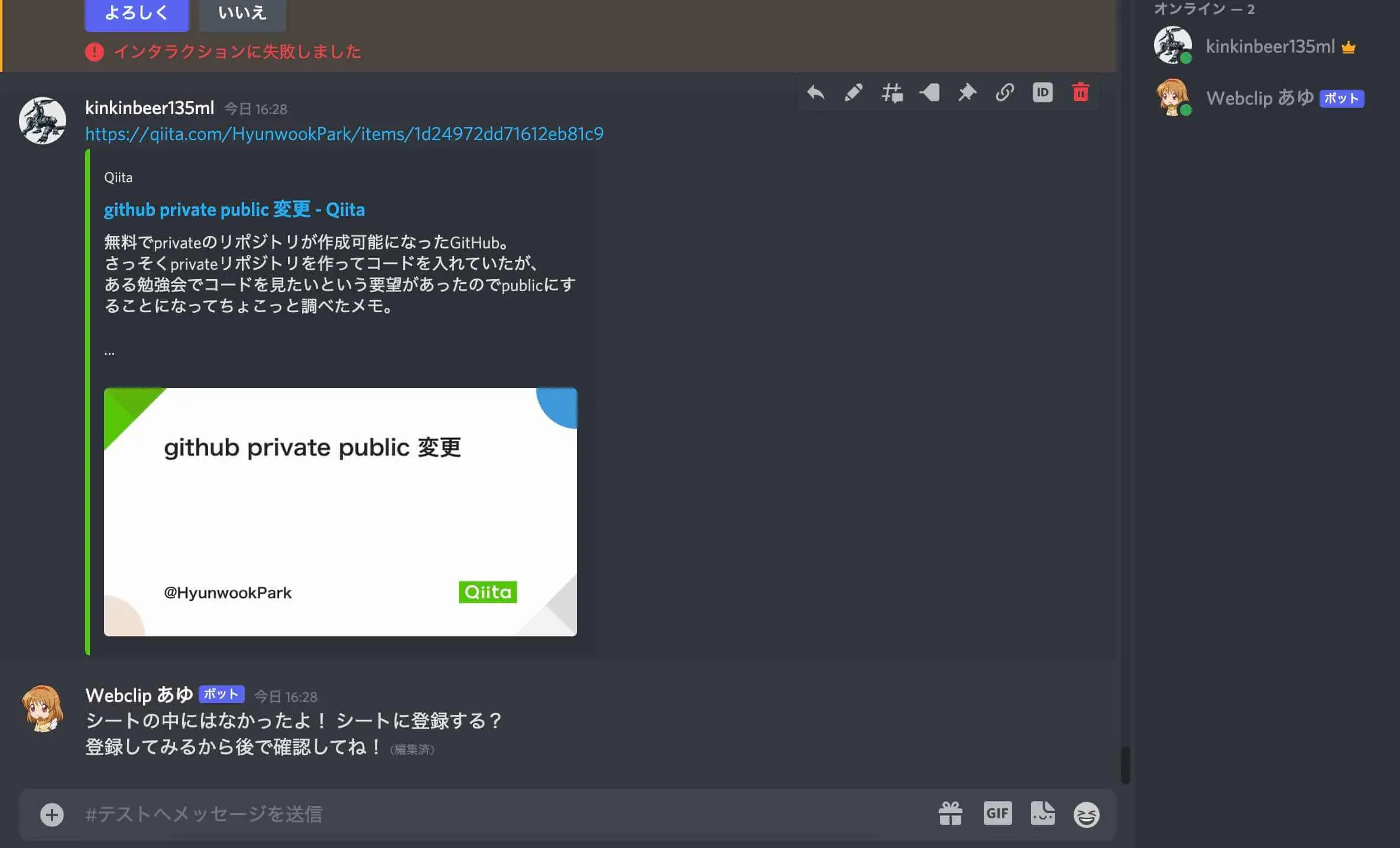
await interaction.response.edit_message( content="{}\n{}".format( configObj["msgForReply_urlYet"], configObj["viewForReply_buttons01_registered"] ), view=None ) # 「Googleスプレッドシートを編集する」をこちらに移動 sheetEditor.writeInfoToGss(worksheet, self._registeringMsg)「インタラクションに失敗しました」エラーは発生しませんでした。
おしまい

以上になります!
記事を共有
この記事が役に立ったなら、ぜひ他の人と共有してください!
音楽
再生中なし